
How to Train Copilot to Suggest Accurate Expense Categories
Managing expenses is one of those tasks that feels small but has a big impact. If categories are wrong, reports lose meaning, audits become stressful, and budgets slip out of control. Traditionally, finance teams have had to manually review every entry, which is both time-consuming and error-prone. That’s why Microsoft Copilot has quickly become valuable in this space.
Copilot learns how your business categorizes expenses and starts suggesting the right options automatically. The more you guide it, the better it gets. With clean data and steady feedback, Copilot transforms from a basic assistant into a reliable expense partner. In this article, I’ll walk you through how to train Copilot, what best practices to follow, and how to make it smarter over time.
Why Categorization Matters
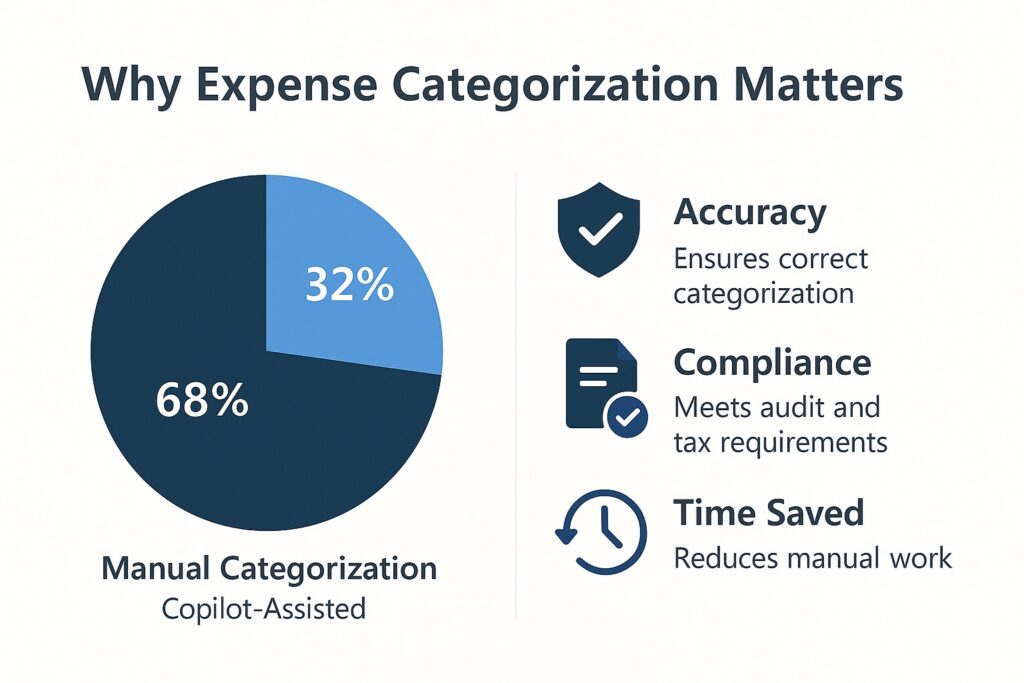
Accurate expense categorization does more than tidy up spreadsheets. It drives better financial planning, ensures compliance, and makes tax preparation far smoother. Imagine the difference between instantly seeing how much you spent on travel last quarter versus digging through a pile of receipts.
Copilot helps here by reducing manual sorting, but it only works well if trained properly. Think of it as an intern who needs coaching—every correction makes it more accurate, and soon it starts working without constant supervision.
Understanding Copilot’s Role
Microsoft Copilot integrates with tools like Excel and Dynamics 365 to make expense management faster. It uses AI to scan historical records and identify how you’ve classified expenses in the past. From there, it predicts the category for new entries.
For example, if you’ve always marked “Uber” under Transportation, Copilot learns that pattern and will suggest the same category moving forward. The result: fewer manual corrections and more consistent reports.
Preparing Your Expense Data
Training starts with data preparation. If your historical expense records are inconsistent, Copilot will struggle to identify the right patterns. To get the best results:
- Keep vendor names consistent (e.g., “Uber” instead of “Uber Rides”).
- Standardize expense descriptions (“Meals” instead of “Lunch Expense” or “Dining”).
- Make sure dates, amounts, and currencies are correct.
Spending a little time on cleanup now prevents errors later and speeds up Copilot’s learning process.
Training Copilot Through Feedback
The real magic happens in daily use. When Copilot suggests a category, you either accept it or correct it. Each action becomes feedback that improves its accuracy.
Example:
- First time: Copilot suggests “Miscellaneous” for Starbucks.
- You change it to “Meals.”
- Next time: Copilot remembers and directly suggests “Meals.”
Over time, this reinforcement loop builds a personalized AI that reflects your company’s expense structure.
Adding Rules and Custom Tags
AI works best with some human guidance. You can set rules that automatically map specific vendors to categories. For instance:
- “Starbucks → Meals & Entertainment”
- “Zoom → Subscriptions & Licenses”
Custom tags also help if your business tracks unique categories like Client Events or R&D Spending. By creating and using these, Copilot learns to align with your business-specific needs rather than just default expense groups.
Monitoring and Refining Suggestions
Even with training, AI isn’t perfect. Regular reviews help keep accuracy on track. Many teams find it useful to review Copilot’s performance weekly or monthly. Correcting small mistakes ensures the system doesn’t drift from your policies.
You’ll notice measurable improvement over time. For example, Copilot might start with 70% accuracy and, after consistent training, climb above 90%. This kind of progress shows the power of steady reinforcement.
Best Practices for Long-Term Success
To get the most from Copilot, follow a few best practices:
- Stay consistent with naming and categories.
- Review and correct suggestions regularly.
- Add new categories as your business evolves.
- Involve finance staff to validate tricky cases.
These steps help maintain high accuracy and ensure Copilot continues learning in the right direction.
Conclusion
Copilot is not here to replace finance teams but to help them work smarter. By cleaning your data, guiding it with corrections, and setting up clear rules, you can train Copilot to suggest expense categories with impressive accuracy. Over time, this reduces manual work, improves reporting, and gives you greater confidence in your numbers.
Start small by training Copilot with your most common vendors, review the results, and let it grow into a trusted partner in expense management.